With your consent we use Microsoft Clarity and Google Analytics to understand how the site is used, and Google Ads to measure our campaigns and show you Kaiross ads on other sites. They use cookies and the data goes to Microsoft and Google, which may also use it for their own purposes. If you decline, the site works the same. Privacy policy
They answer from your documents and from the figures in your ERP. Next to every answer you see the source: the document page or the read-only query. If the information is missing, the agent says “I didn’t find it”.
30 days with all features, no credit card. You connect the AI key in a few minutes, with the guide.
Database and files in Zurich
2FA and sign-in with Microsoft or Google
Italian, German, French, English
Sound familiar?
The information is there. Finding it costs time and trust.
Administration
Half an hour to find the right procedure
The circular is in one folder, the update in an email, the old version on a colleague’s desktop. In the end you ask the person who knows everything and interrupt them.
Management
The ChatGPT answer looks right. Where does it come from?
A general assistant writes well, but it does not know your regulations and does not tell you which page to check. If it is wrong, you find out late.
Controlling and production
The data is in the ERP and only one person can extract it
Open orders, stock, revenue per customer: every figure needs a report or IT. When that person is on holiday, you wait.
IT and security
Everyone uses a different AI, with company data
Some paste a contract into ChatGPT, others use an app on their phone. You do not know which documents leave, under which rules and at what cost.
Interactive preview
Ask a question. Check the source with one click.
A demo in your browser with fictional data. Kaiross works the same way on your company’s documents.
Question
Search
Answer with sources
app.kaiross.ch
Procedures assistantDocuments only
When is the expense report due?
The expense report is due by the 5th of the following month, with the original receipts attached Source 1Internal regulations· p. 12. Expenses over CHF 200.– must be approved by your manager before the purchase Source 2Internal regulations· p. 13.
Sources
Source 1Internal regulationsp. 122. The expense report is due by the 5th of the following month, with the original receipts attached.
Source 2Internal regulationsp. 135. Expenses over CHF 200.– must be approved by your manager before the purchase.
30 days with all features, no credit card. You connect the AI key in a few minutes, with the guide.
Verifiable answers
The exact page. Not an answer you have to take on trust.
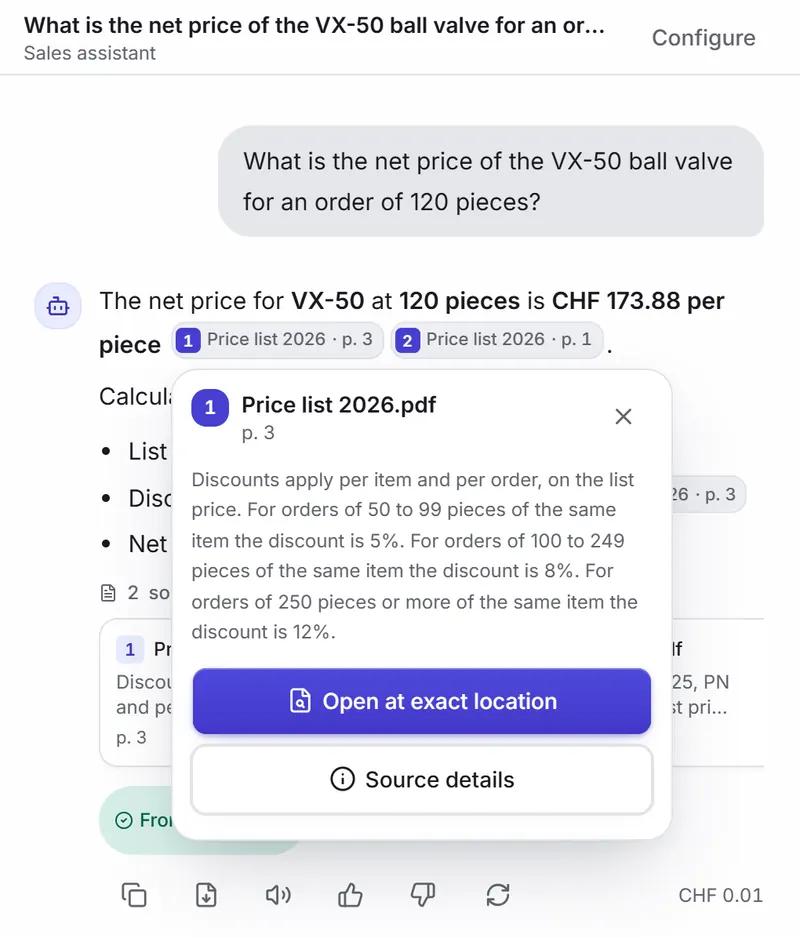
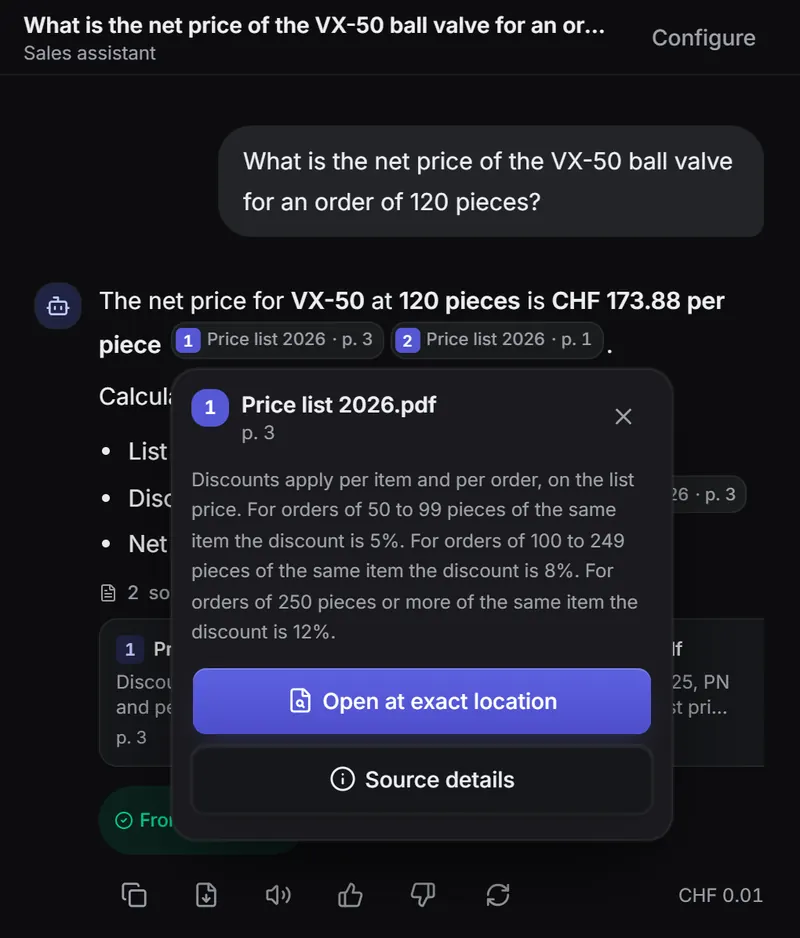
Every statement carries a “document · p. N” label. Tap the label and see where it comes from, without looking for the file.
app.kaiross.ch
1
The source next to the sentence
The box shows document, page and excerpt. The “Why this source” panel links the sentence in the answer to the passage that supports it.
app.kaiross.ch
2
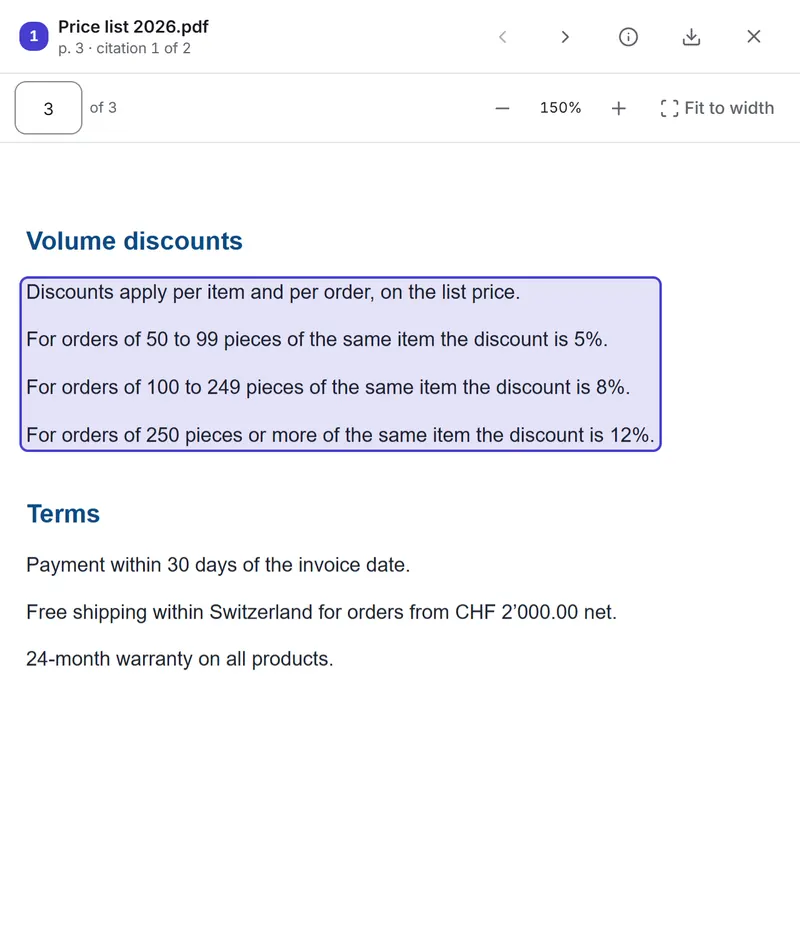
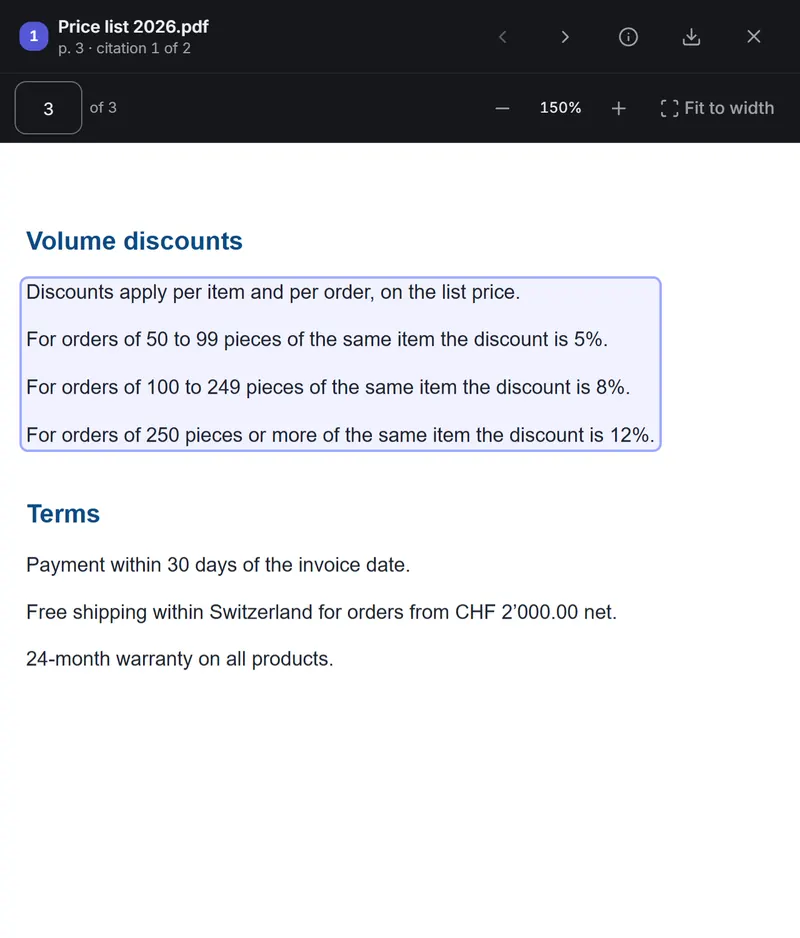
The document at the exact location
“Open at exact location” shows the full PDF with the passage highlighted.
“Documents only” mode: if the information is missing, the agent says so
“From documents” or “Not found in documents” label on answers
Scans read with OCR and AI, also in German or French
Features
Documents, figures and repetitive work in the same workspace
Screenshots of the Kaiross app with fictional data.
ERP figures with one question
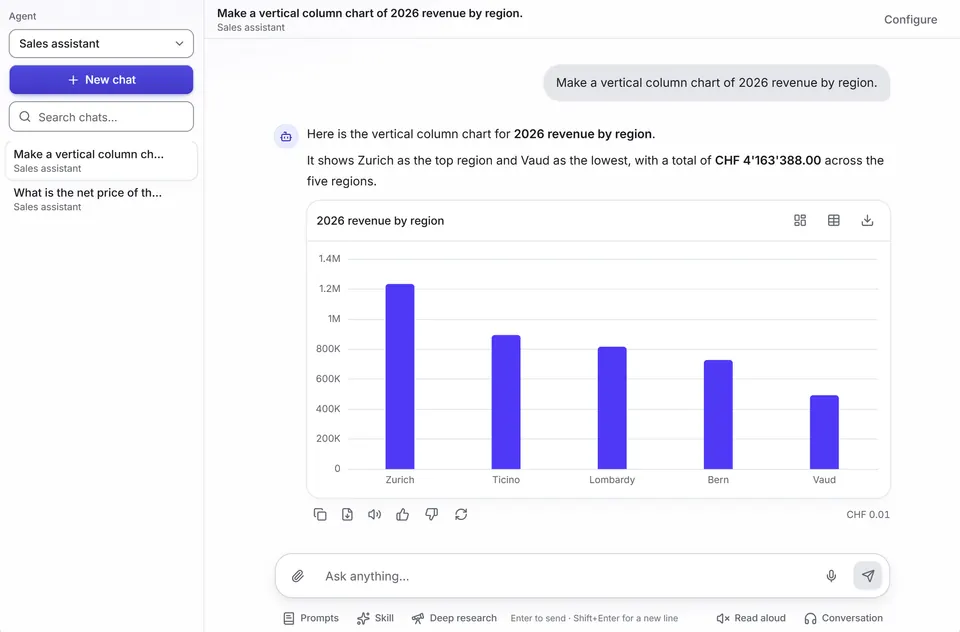
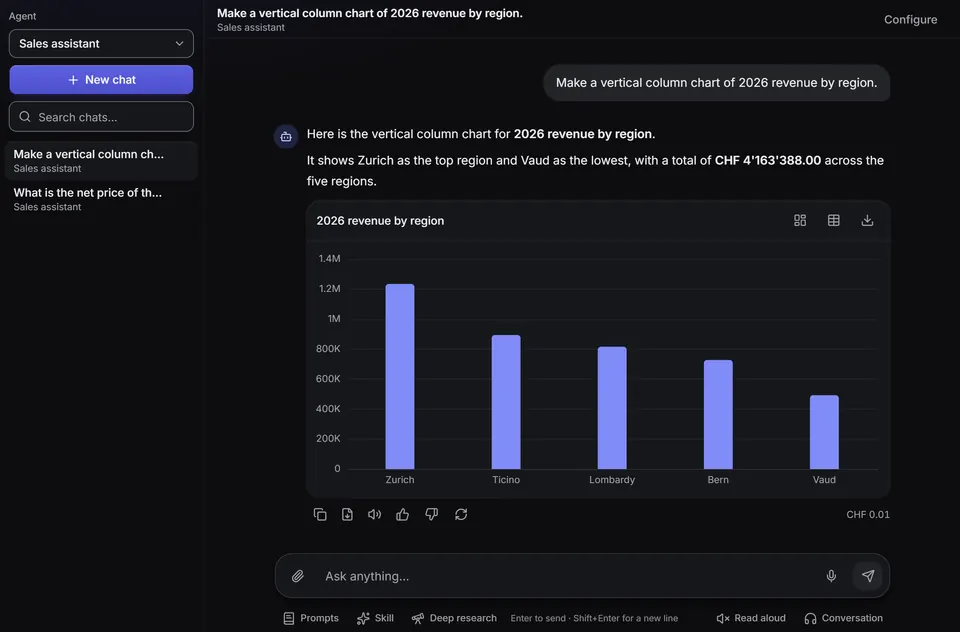
Ask “2026 revenue by region”: the agent queries the ERP read-only, answers and draws the chart in the chat. If you ask for an Excel file, you download it from the answer.
Read-only; on bexio and Odoo you can allow creating contacts, with confirmation
On-premises server reachable through a VPN tunnel to your WireGuard server
app.kaiross.ch
Analytics: ask for dashboards in the chat
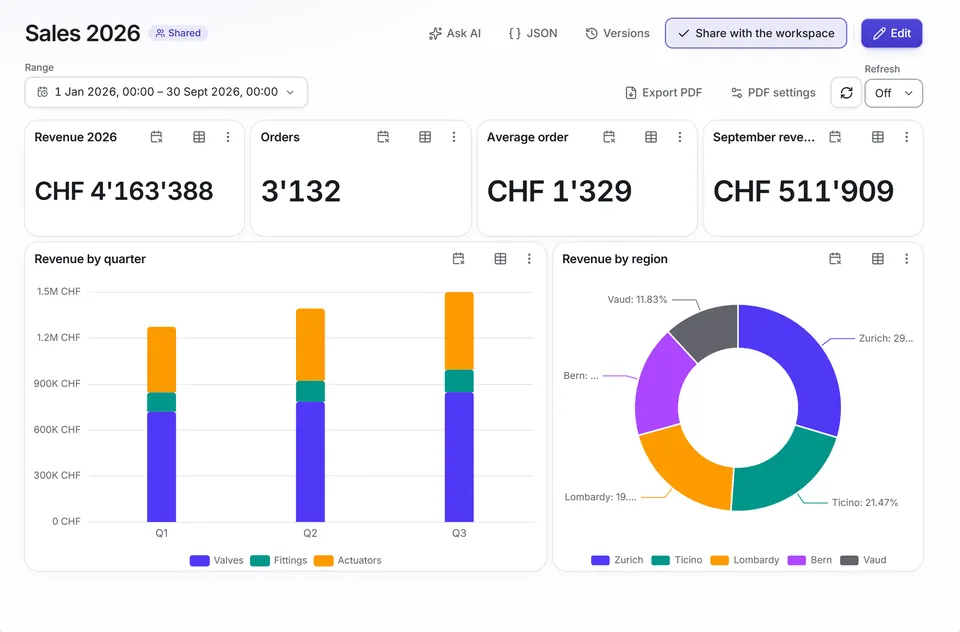
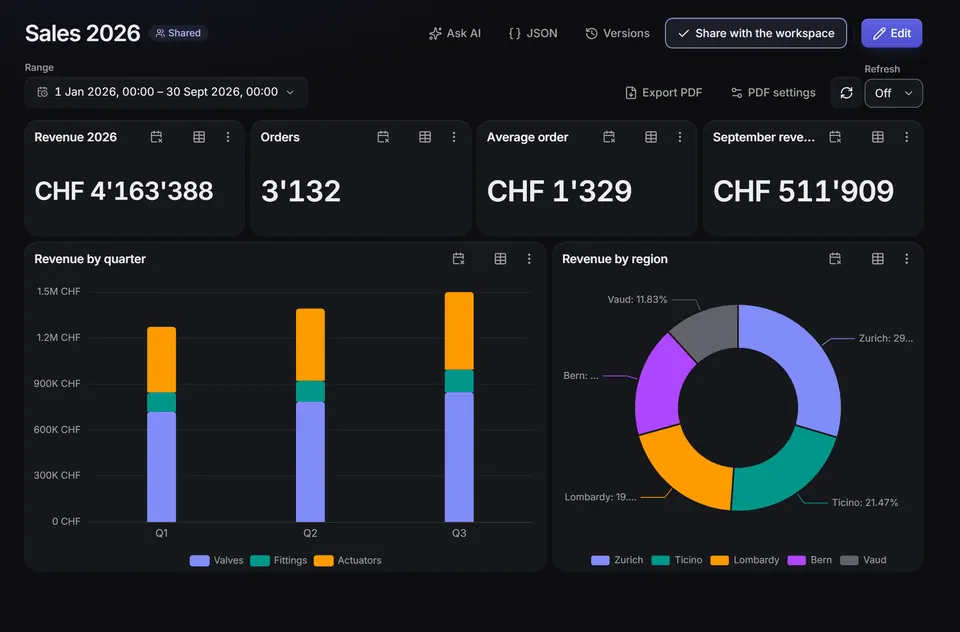
Start from a Mago4 template (Vendite, Ordini, Magazzino, Direzione) or write “create the Vendite dashboard”. Then change it in words: every change becomes a version you can undo.
On SQL Server, PostgreSQL, MySQL, CSV and Excel files
Scheduled PDF reports with your branding
Viewers see the figures, never the SQL
app.kaiross.ch
One agent for each department
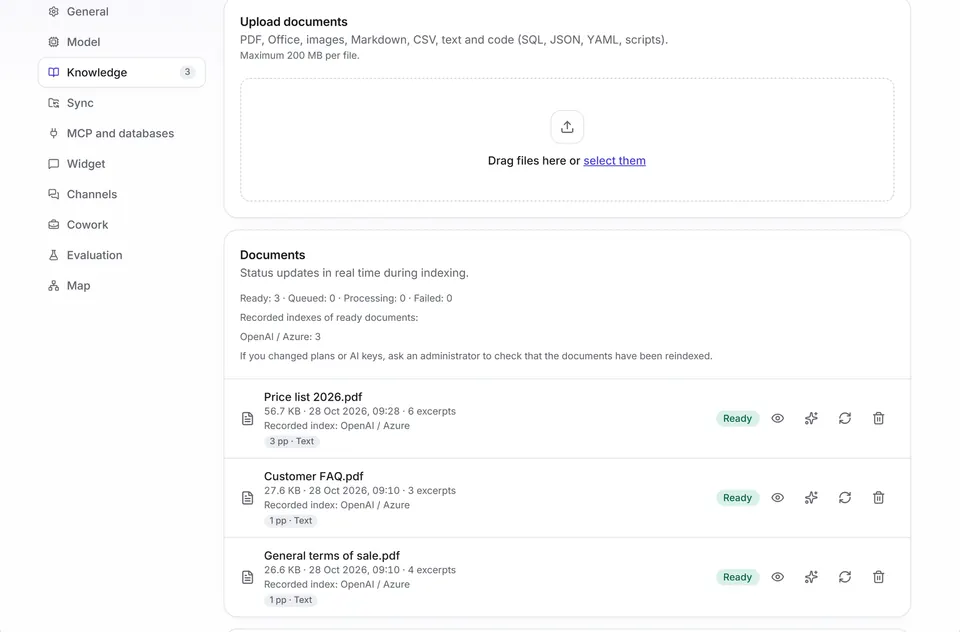
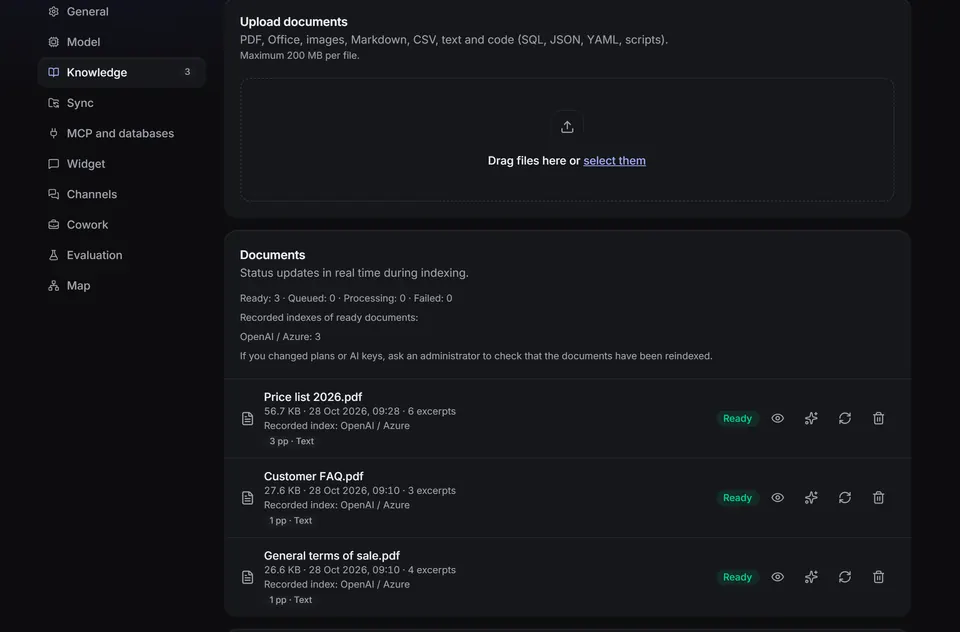
Each agent has its own instructions, model and knowledge base: price lists for sales, manuals for support, regulations for HR. You keep them in folders and start from a template for your sector.
PDF, Office, images, CSV and code up to 200 MB per file
Sync from SharePoint, OneDrive, Google Drive, Dropbox and Box, with the source permissions
Knowledge map and quality “Evaluation”
app.kaiross.ch
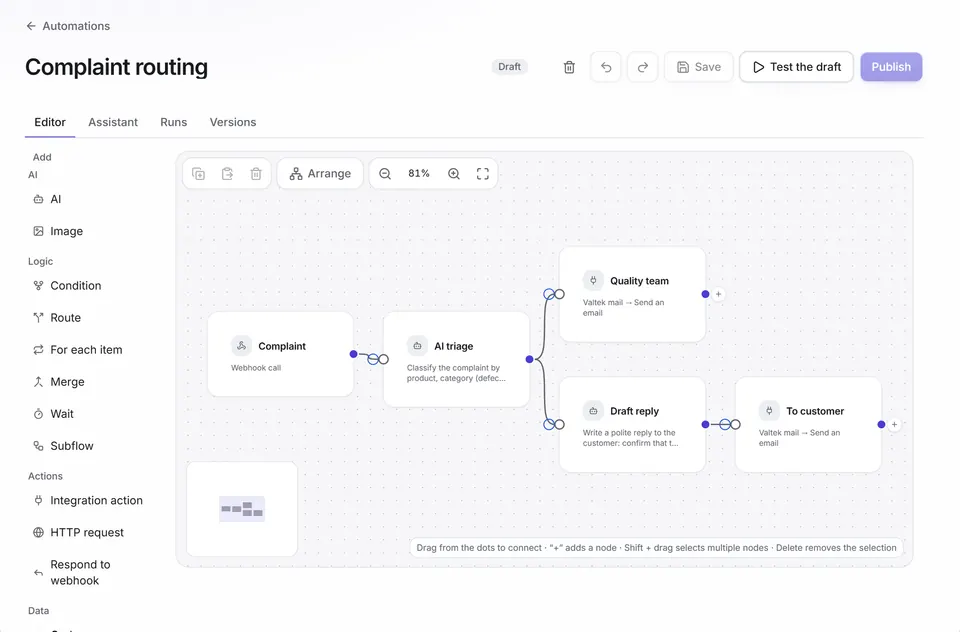
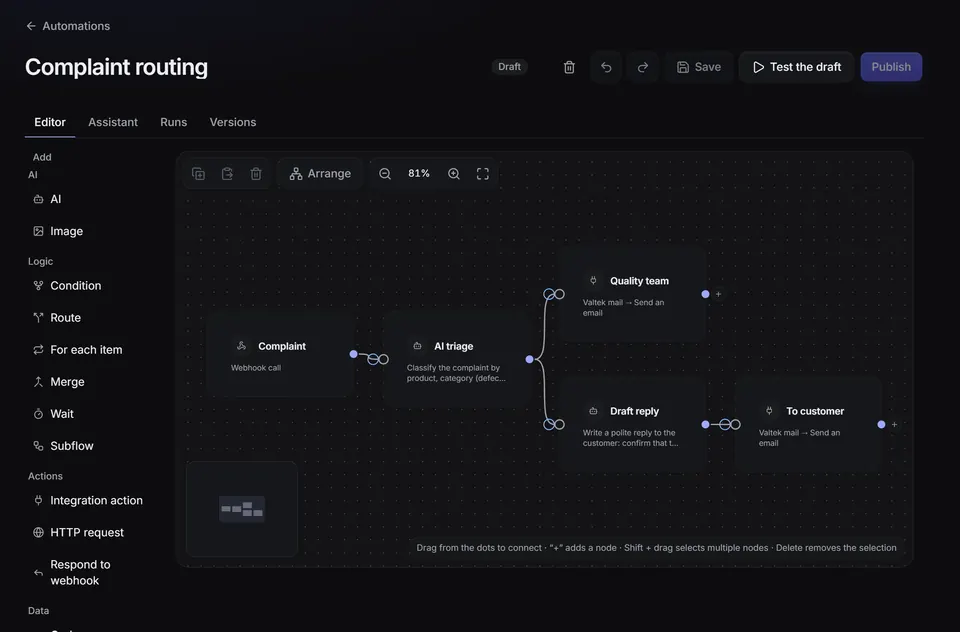
Node-based automations, even from one sentence
Every Monday, extract late orders, have the AI write a summary and send it by email. Describe the flow, the assistant builds it, you check and publish.
Scheduled, webhook or event triggers
Conditions, loops, error branches and retries
Import of flows from n8n
Log and cost of every run
app.kaiross.ch
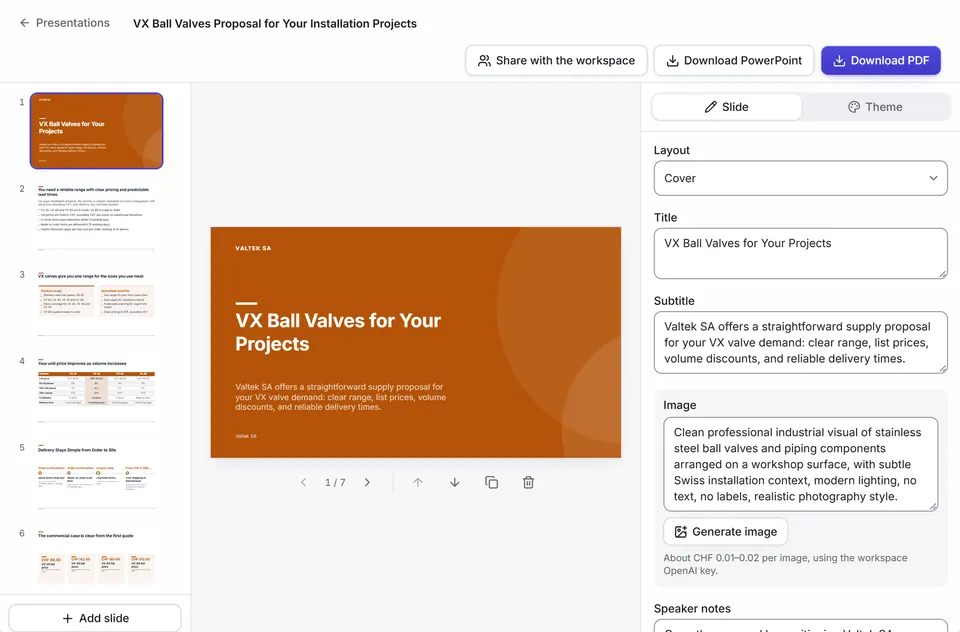
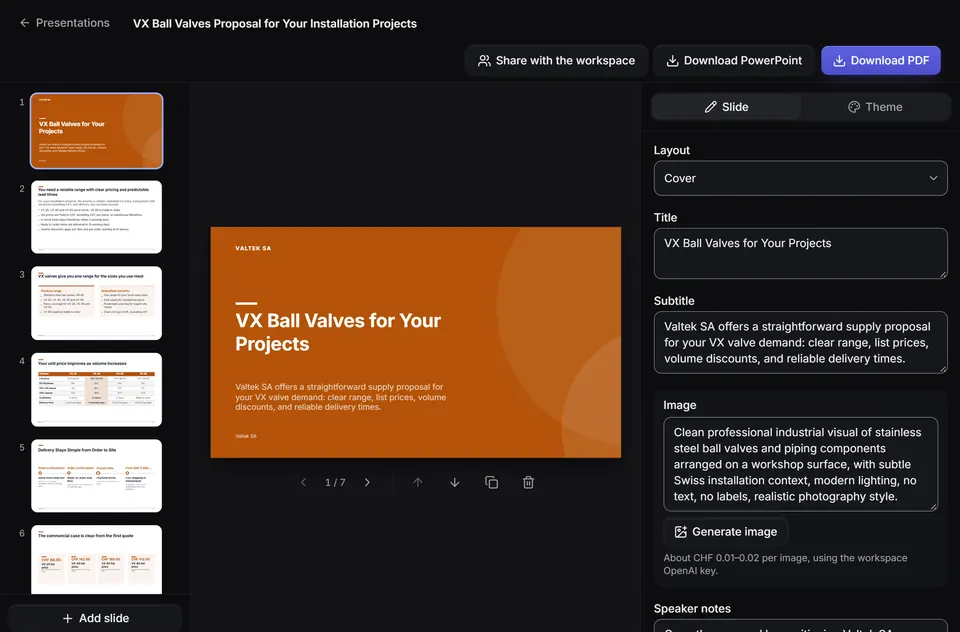
Presentations from your documents
Sales proposals, one-page summaries and company presentations written by AI from the agent’s documents, with sources shown. You refine them slide by slide and export them with the workspace logo.
PowerPoint and PDF export
Workspace logo, colour and font of your choice
app.kaiross.ch
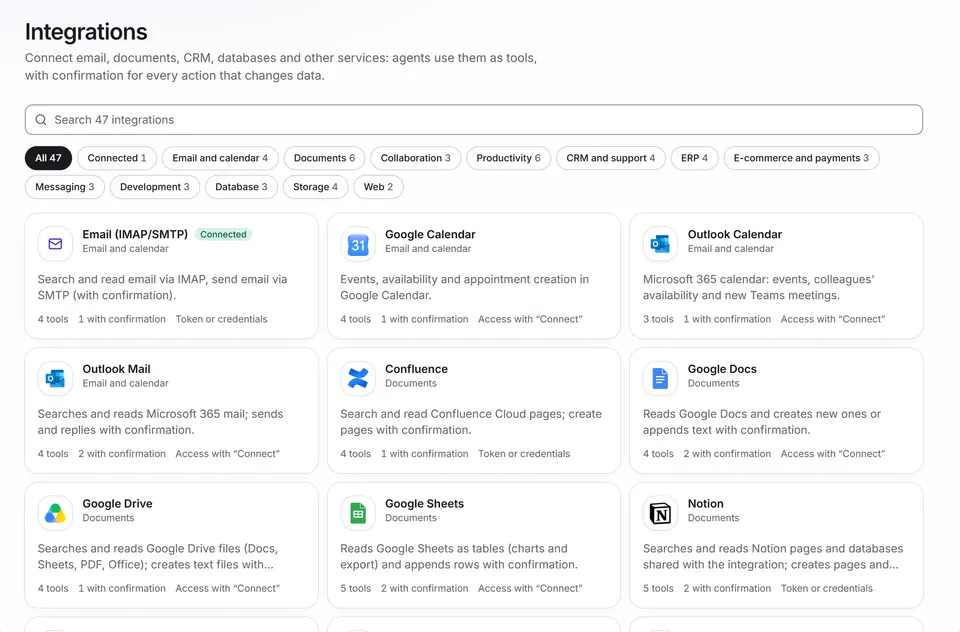
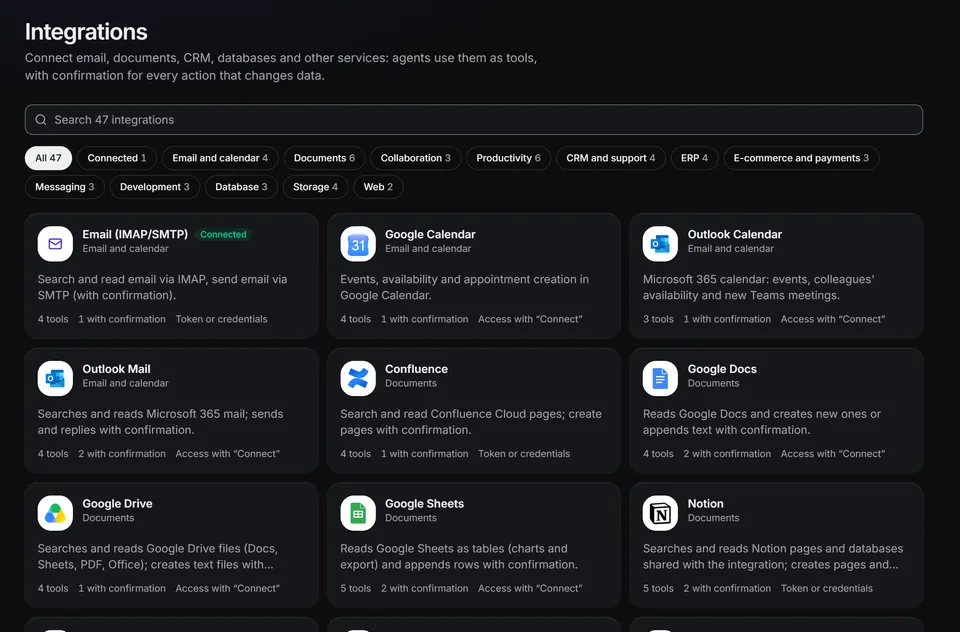
45 integrations, with confirmation before acting
Email, calendar, CRM, documents, e-commerce and messaging become tools for the agent. Reading is immediate. Sending, creating or changing needs your click, except for tools set to automatic approval.
Microsoft 365, Google Workspace, HubSpot, Salesforce, Zendesk, Shopify and more
Connected with “Connect” or with credentials
External MCP servers too
app.kaiross.ch
And also
Teams, Slack and website
The same agent answers in Teams, in Slack and in the widget on your website, with the AI notice required by the EU AI Act.
API and MCP server
Use your agents from Claude, ChatGPT or Cursor, or through the documented API (OpenAPI 3.1).
Deep research
For complex questions Kaiross plans sub-questions, searches the documents and the web and writes a report with sources.
Evaluation
A set of questions with expected answers measures whether the agent finds the right document and answers correctly.
Automatic model selection
Short, simple questions use a cheaper model from the same provider; analysis, files and complex requests stay on the full model.
Exportable data
Answers, reports and presentations in Excel, Word, PDF and PowerPoint. From the app you download your data or delete the account.
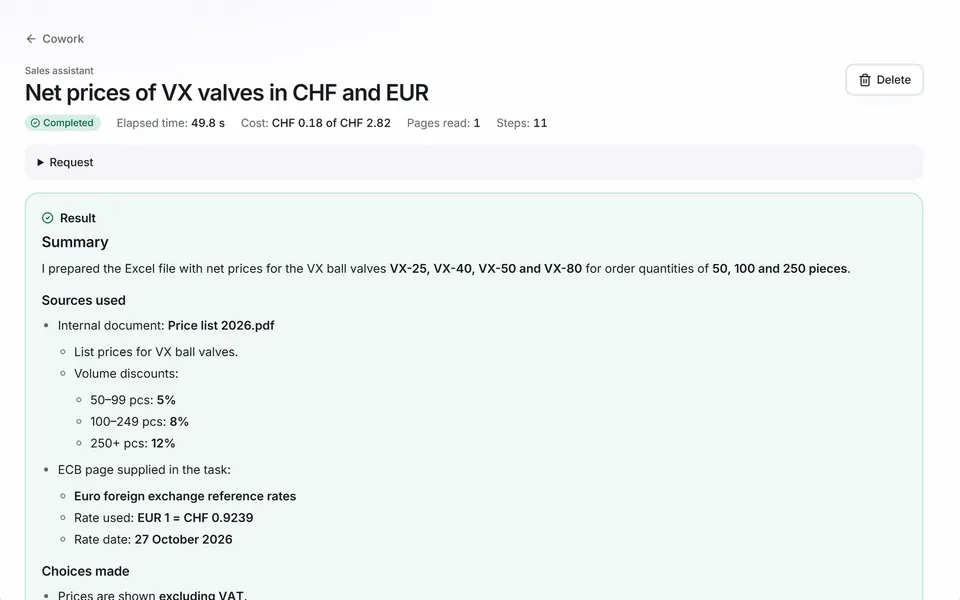
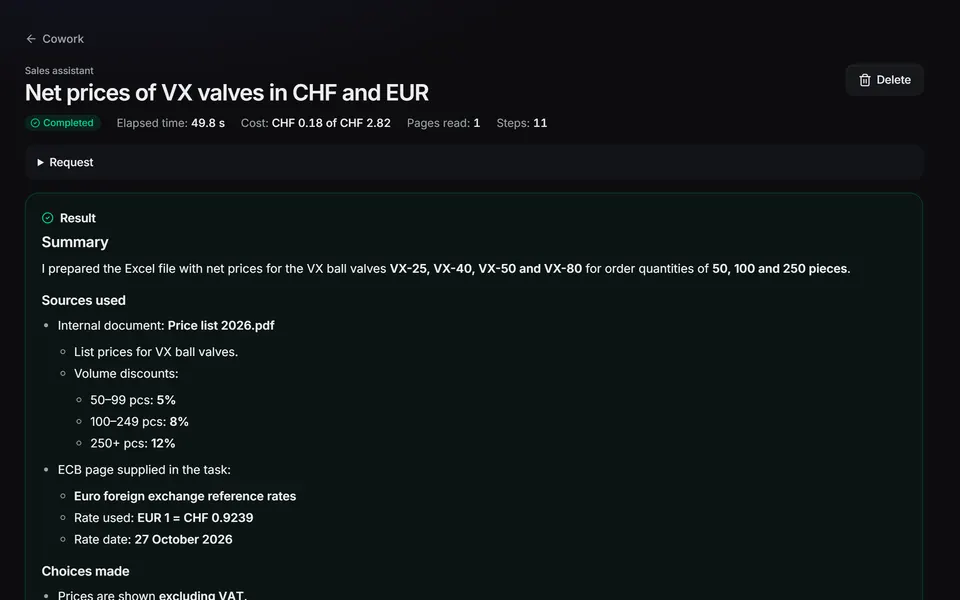
Cowork
Give Kaiross a task. It finishes it while you do something else.
Finding prospects, comparing price lists, filling in a table: hours of work you keep putting off. In Cowork an agent does it on its own in the background, shows you the plan and every step, and hands you the finished files.
app.kaiross.ch
Visible plan and live log: every search, page read and file created
Working folder with Excel, Word, PDF and CSV files
Up to 2 hours per task, with a spending limit you set
“Find the prospects’ details and put them in the CRM”: before writing it shows you the data and waits for your click
For example
“Find the 20 main competitors in Ticino and make me an Excel file with name, website and city.”
“Find the public company contacts of these companies and prepare them for HubSpot.”
“Compare the attached supplier price lists and write me a summary in Word.”
Instructions found on a page or in a file are never executed. The agent opens only addresses from the task, from search results or from links on pages it has read.
No data leaves without your click
CRM, email and database only after “Approve”, with a preview of the data. In your database it writes only to the tables the administrator has listed.
Limits you decide
Time, steps, pages read and spending limit per agent. Open web with blocked sites, or chosen domains only. Private networks blocked, robots.txt respected.
Tasks and files in Zurich
Tasks, log and files are stored in Zurich. If you collect personal data from the web, the nFADP and GDPR apply: the guide explains what you need.
Getting started
Your first agent is ready in a day
1
Create the workspace and connect the AI key
The “Getting started” checklist takes you to the OpenAI, Anthropic or Google console. You create the key, paste it into Kaiross and click “Verify and save”.
2
Upload documents or connect your ERP
Start from an agent template for your sector. Upload PDF, Word, Excel and scans, sync SharePoint or Google Drive, connect your ERP read-only.
3
Ask and check the source
In Italian, German, French or English, also on documents written in another language. From the browser, your phone, Teams or Slack.
30 days with all features, no credit card. You connect the AI key in a few minutes, with the guide.
Security and Switzerland
Your company data stays separate and under control
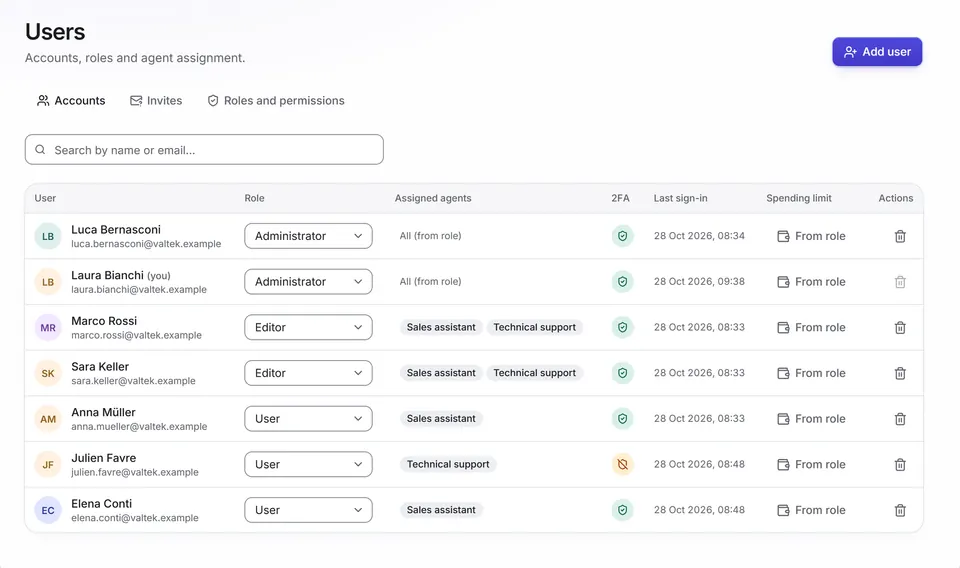
Database and files are hosted in Zurich. Every access goes through the roles and permissions you set.
Data in Zurich
Database, files and document index in a Swiss data centre.
Companies separated in the database
The database itself enforces the separation between companies. In the latest test: 0 violations in 2'751 isolation checks.
Protected access
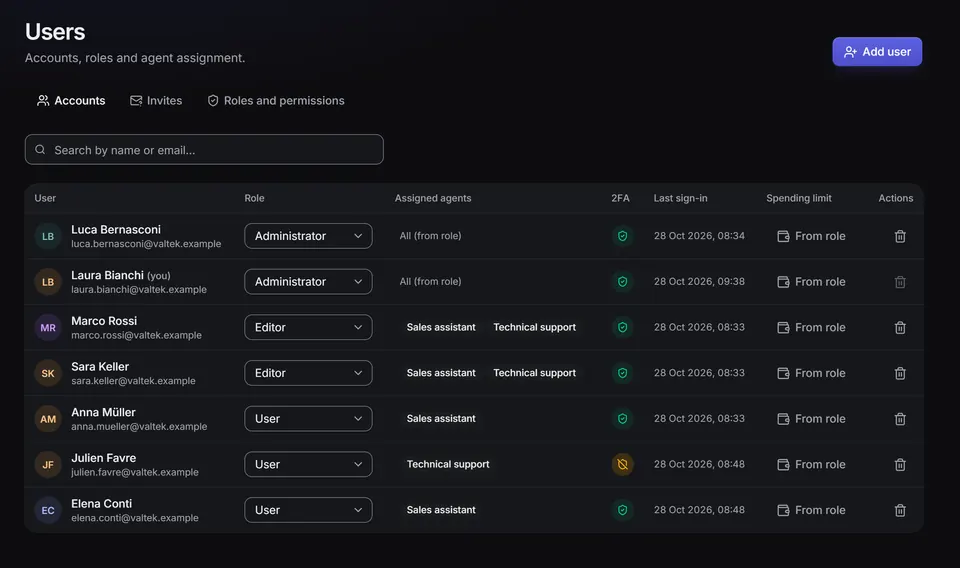
Two-step verification required for administrators and available to everyone. Sign-in with Microsoft or Google, SCIM provisioning with Entra ID or Okta.
Inherited permissions
With SharePoint, OneDrive, Google Drive, Dropbox and Box everyone sees only the documents they can already open.
Everything logged
Activity log kept for one year, data retention configurable for the nFADP and GDPR, spending limits.
Encrypted keys, no training
AI keys and credentials in an encrypted vault. Kaiross does not train models on your data and asks OpenAI not to retain responses.
app.kaiross.ch
Questions are processed by the AI provider of your key: OpenAI, Anthropic, Google, Azure OpenAI, Amazon Bedrock, OpenRouter or your Ollama server. Document indexing goes through OpenAI or Azure OpenAI. With the “Switzerland / EU only” residency Kaiross uses only Azure OpenAI, Amazon Bedrock and Ollama. The server that processes requests is in Germany (EU); database and files stay in Zurich.
30 days with all features, no credit card. You connect the AI key in a few minutes, with the guide.
Sectors
Built for teams that work with many documents and an ERP
Fiduciary companies and accounting firms
Circulars, closing procedures and deadlines with the exact page. Invoice data extracted to Excel. Abacus and bexio connected.
Manufacturing with an ERP
Manuals and data sheets, even scanned or in German. Orders, stock and revenue asked of the ERP, read-only.
Retail and e-commerce
A widget on your website answers about returns, shipping and warranty from your terms. Orders from Shopify or WooCommerce, with confirmation before acting, on by default.
Professional and law firms
Clauses and precedents in your templates, contract summaries with deadlines, access by matter. A professional always checks the answers.
Trial and pricing
Try it free for 30 days
In the trial you get all features and unlimited agents. The AI uses your company’s key: you pay the provider for usage, with no mark-up.
Free trial
30 days with all features
No credit card
Unlimited agents
Onboarding call of 30 minutes included: we upload your first documents together
At the end you choose a plan or let the trial expire.
The onboarding call is held in Italian or English. Book the call
Kaiross works with your company’s key. The OpenAI key (or Azure OpenAI) is also used to index documents; for answers you can also use Claude or Gemini.
1Sign in to the provider console.
2Create a new API key and copy it.
3In Kaiross, paste it into Settings → AI providers and click “Verify and save”.
With “Kaiross own keys” you pay it directly to the provider of your key, with no Kaiross mark-up. With the standard model a typical user costs about CHF 3.50 per month: 400 answers, 2 deep research reports and 20 scanned pages. Advanced models, deep research and Cowork cost more. With “Kaiross AI included”, AI usage with Kaiross keys is included up to a monthly cap per user.
You set monthly spending limits in Kaiross and in the provider console.
Implementation
from CHF 3'000.–one-off
Quote based on the number of agents, integrations and infrastructure. The starter package includes workspace, sign-in with Microsoft or Google and 2FA, 1–2 agents from a sector template, your documents, one connector and 2 hours of training. Optional: extra modules at CHF 150.– per hour.
Prices in Swiss francs, excluding VAT. In Switzerland and Liechtenstein the invoice adds 8.1% VAT; in the EU the reverse charge applies, in other countries no VAT.
No risk
No credit card for the trial
Your documents stay yours: answers, reports and presentations export to Excel, Word, PDF and PowerPoint
At the end of the trial you pay nothing: you can export your data or delete the account from the app
Frequently asked questions
Before you start
Where does my company’s data go?
Database, files and document index are hosted in Zurich. The server that processes requests is in Germany (EU). Questions go through the AI provider of your key (OpenAI, Anthropic, Google, Azure OpenAI, Amazon Bedrock, OpenRouter); indexing, scans, voice and images through OpenAI or Azure OpenAI. With the “Switzerland / EU only” residency Kaiross uses only Azure OpenAI, Amazon Bedrock and Ollama. With an Ollama server only the conversations stay in the company.
We already have ChatGPT or Copilot. What is Kaiross for?
Kaiross answers from your documents and your ERP with the exact page, says “I didn’t find it”, respects SharePoint permissions and connects to bexio, Abacus and SQL Server. ChatGPT and Copilot remain great for writing, and you can also use Kaiross from those assistants as an MCP server.
What if the AI gets it wrong?
It can happen, and with Kaiross you see it and measure it: in “Documents only” mode the agent answers only from what it finds, answers have clickable sources and a verification label, and Evaluation measures quality on your own questions. Nobody can promise zero errors.
Why do I need my own AI key?
Because during the trial Kaiross works with your company’s AI key: the “Getting started” checklist guides you to create it, and without a key the AI features do not start. With “Kaiross own keys” it stays that way: the contract with the provider is yours, you choose between OpenAI, Anthropic, Google, Azure OpenAI, Amazon Bedrock, OpenRouter or Ollama, see the costs on your account and pay with no mark-up. With “Kaiross AI included”, AI usage with Kaiross keys is included up to a monthly cap per user.
How much does it cost in total?
“Kaiross own keys” costs CHF 10.– per active user per month and you pay AI usage to the provider: with the standard model a typical user costs about CHF 3.50 per month. “Kaiross AI included” costs CHF 15.– per active user per month, with AI usage included up to a monthly cap per user. With your own keys you set spending limits in Kaiross and with the provider.
How much does implementation cost?
It is a one-off fee starting at CHF 3'000.– for the starter package: workspace, sign-in with Microsoft or Google and 2FA, 1–2 agents, your documents, one connector and 2 hours of training. The quote depends on how many agents you need, which systems to connect (ERP, database, VPN) and on extra automations and training. It is optional: you can also start on your own with the trial.
How long does it take to get started?
A first agent with your documents as they are can be set up in a day. For a pilot project on one use case we plan three to six weeks.
Which ERP systems can I connect?
SQL Server (also Mago4 and other systems on SQL Server), PostgreSQL, MySQL, bexio, Abacus, Business Central and Odoo, read-only; on bexio and Odoo you can allow creating contacts, with confirmation. Also when the server is on-premises, through a VPN tunnel to your WireGuard server.
Will you help me get started?
Yes. The trial includes a 30-minute onboarding call: we upload your first documents together and ask the first questions. The call is held in Italian or English. For everything else there is the guide “Iniziare in 15 minuti” (in Italian).
Do I need an IT department?
No: to start you only need an AI key and your documents. IT is needed only for sign-in with Microsoft or Google, for the VPN to the ERP or for bots in Teams, and in that case we help you.
Can I export or delete my data?
Yes. Answers, reports and presentations export to Excel, Word, PDF and PowerPoint. From the app you download your data or delete the account, and you set data retention yourself for the nFADP and GDPR.
Upload three documents and ask the first question
In 30 days you find out whether Kaiross is right for your company.